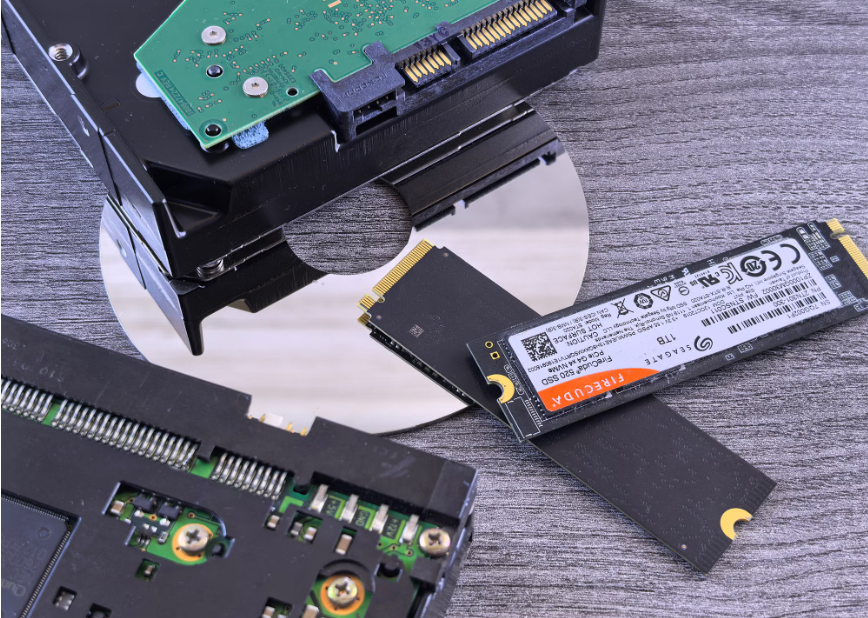

Storage can seem like a secondary decision when designing an embedded system, but its impact reaches far beyond capacity. The interface you choose can affect responsiveness, data throughput, power requirements, heat generation, compatibility, and the system’s ability to handle future workloads. SATA remains practical for many established and moderate-demand applications, while NVMe can provide substantially greater performance for data-intensive systems. The better choice depends less on which technology looks strongest on a specification sheet and more on what the device must actually accomplish throughout its working life.
Start With the Workload
Before comparing interfaces, define what the device will actually do.
A system that boots a lightweight application and records occasional data has very different storage requirements from one processing multiple video streams, running analytics, or continuously collecting sensor information.
Consider how frequently the system reads and writes data, whether several processes will access storage simultaneously, and how sensitive the application is to latency.
SATA may be entirely adequate for predictable workloads with modest I/O demands. NVMe becomes more compelling when applications require high throughput, low latency, or the ability to manage many operations concurrently.
Choosing storage around the workload helps avoid both underbuilding the system and paying for performance the application will never use.
Understand Why SATA Still Has a Place
SATA is an older interface, but age alone does not make a technology unsuitable.
Its widespread adoption can make integration straightforward, particularly in designs based on established hardware. Engineers may already have compatible components, proven configurations, and extensive experience working with the interface.
For embedded systems performing routine logging, basic control functions, or other moderate workloads, SATA SSDs can provide sufficient performance without adding unnecessary complexity.
The limitation appears when workloads become more demanding. SATA was developed around an earlier generation of storage technology, and its architecture can restrict the performance available from modern flash.
That does not make SATA a poor choice. It simply means its capabilities should be matched realistically to the application.
See Where NVMe Changes the Equation
NVMe was designed specifically for non-volatile memory and communicates through PCIe rather than the traditional SATA path.
That architecture supports greater bandwidth and more efficient command handling, which can become important when several processes need storage access at the same time.
For embedded applications involving machine vision, high-volume data acquisition, advanced analytics, or intensive edge computing, those characteristics may improve responsiveness under load.
When comparing storage technologies for embedded applications, technical guidance from companies specializing in industrial storage can help put architectural differences into perspective. For example, Lexar Enterprise says NVMe offers 64,000 queues, highlighting the level of command parallelism the interface can support compared with SATA’s much narrower command-handling structure. For systems processing multiple data streams or simultaneous storage requests, that architectural difference can become especially relevant.
The practical value depends on the workload. A system must generate enough storage activity to benefit from that additional capability.
Think About Performance in the Real Application
Headline sequential read and write speeds tell only part of the story.
Embedded workloads can involve small random transfers, continuous logging, simultaneous processes, or bursts of intensive activity. Storage that performs impressively during one benchmark may behave differently when placed inside a compact device running continuously.
Consider latency, IOPS, queue behavior, and sustained performance alongside maximum transfer rates.
Understanding the broader differences between storage interfaces and form factors can also help separate terms such as SATA, PCIe, NVMe, M.2, and 2.5-inch storage. These terms describe different aspects of storage and should not be treated as interchangeable.
The right comparison should reflect the operations your application performs most frequently.
Factor Thermal Limits Into the Design
Performance creates heat, and embedded systems do not always have much room to remove it.
Compact enclosures, fanless designs, limited airflow, and demanding environmental conditions can make thermal behavior just as important as raw storage speed. A high-performance drive that repeatedly reduces performance because of temperature constraints may not deliver the advantage expected from its specifications.
NVMe storage can require particular attention when sustained workloads keep the controller busy for long periods.
Evaluate the drive as part of the complete thermal design. Consider airflow, enclosure materials, heat spreaders, nearby components, ambient operating temperatures, and expected workload duration.
Testing under realistic conditions is essential. Short benchmark runs on an open test bench may reveal very little about how storage behaves after hours inside a sealed enclosure.
Do Not Overlook Power Consumption
Power budgets can be tight in embedded designs.
Storage consumption may matter considerably in battery-powered devices, compact systems, and installations where the available power supply has little additional capacity.
Instead of comparing peak figures alone, consider how the drive behaves during typical operation. Idle power, active-state consumption, sleep behavior, and the amount of time required to complete a task can all influence overall efficiency.
A faster drive may sometimes complete operations sooner and return to a lower-power state. In other applications, additional performance may provide little practical benefit while increasing thermal and power requirements.
The correct decision therefore depends on workload testing rather than a simple assumption that one interface is always more efficient.
Give Endurance the Same Attention as Speed
Embedded storage may need to operate continuously for years, making endurance an important part of drive selection.
Two commonly encountered measurements are terabytes written (TBW) and drive writes per day (DWPD). They describe write endurance in different ways and can help determine whether a drive is appropriate for the expected workload.
A useful explanation of SSD endurance measurements such as TBW and DWPD shows why these figures should be considered alongside drive capacity and expected daily writes.
Do not assume that NVMe or SATA alone determines durability. NAND type, controller design, firmware, workload, temperature, write amplification, and other characteristics can all influence long-term suitability.
For write-intensive systems, endurance may ultimately matter more than maximum benchmark speed.
Consider the Environment Around the Drive
Embedded hardware often operates outside comfortable desktop conditions.
Equipment may experience vibration, shock, dust, temperature variation, unstable power, or limited opportunities for maintenance. Storage therefore needs to be evaluated according to where the finished device will operate.
Check supported temperature ranges and any relevant shock or vibration specifications. For systems where sudden power interruption is possible, investigate how the selected drive protects data and handles incomplete writes.
Serviceability matters too. If replacing a failed drive requires disassembling equipment or sending a technician to a difficult installation, reliability becomes particularly valuable.
Interface performance is only one part of selecting storage that can survive the intended environment.
Check Compatibility Before Committing
NVMe and SATA are not interchangeable simply because drives may look similar.
M.2 describes a form factor rather than automatically indicating NVMe. An M.2 device may use SATA or PCIe depending on the drive and host platform.
Confirm the interface supported by the board, available PCIe lanes, connector configuration, BIOS or firmware compatibility, operating-system support, and physical dimensions.
Mechanical clearance can also matter in tightly packed devices, particularly if thermal hardware is required.
Catching compatibility issues during design is far easier than discovering them after prototypes or production units have already been assembled.
Leave Room for Tomorrow’s Workload
Embedded products often remain in service much longer than the software running on them remains unchanged.
A device designed for straightforward data collection today may later gain additional analytics, security functions, remote management features, or larger datasets. Those additions can increase storage demands significantly.
Think about the expected product roadmap when selecting an interface. NVMe may provide useful headroom when workloads are likely to become more demanding, while SATA may remain the more practical choice for stable applications with clearly defined requirements.
Neither interface wins every design.
The strongest storage decision balances performance, endurance, thermal behavior, power consumption, compatibility, cost, and expected growth. When those factors are considered together, storage stops being a background specification and becomes what it should be: a deliberate part of building an embedded system that performs reliably throughout its intended life.
→ For deeper coverage, head to our full archive.
There is no ads to display, Please add some